
To submit a product to SaaSHub, open its product submission form, enter the product website and review the imported details. Choose the free option if you do not want paid priority processing. Keep the submission, verification and any published listing as separate stages.
We followed the public form on 9 September 2026 using BacklinkGrid's website. The screenshots below are original browser captures of that flow. They show what we encountered; they do not establish approval, indexing or traffic.
Start at the product submission form
Open SaaSHub's Submit Product page. The route is /services/submit. Its separate /submit area displays submission-promotion activity; it is not the initial product URL form.
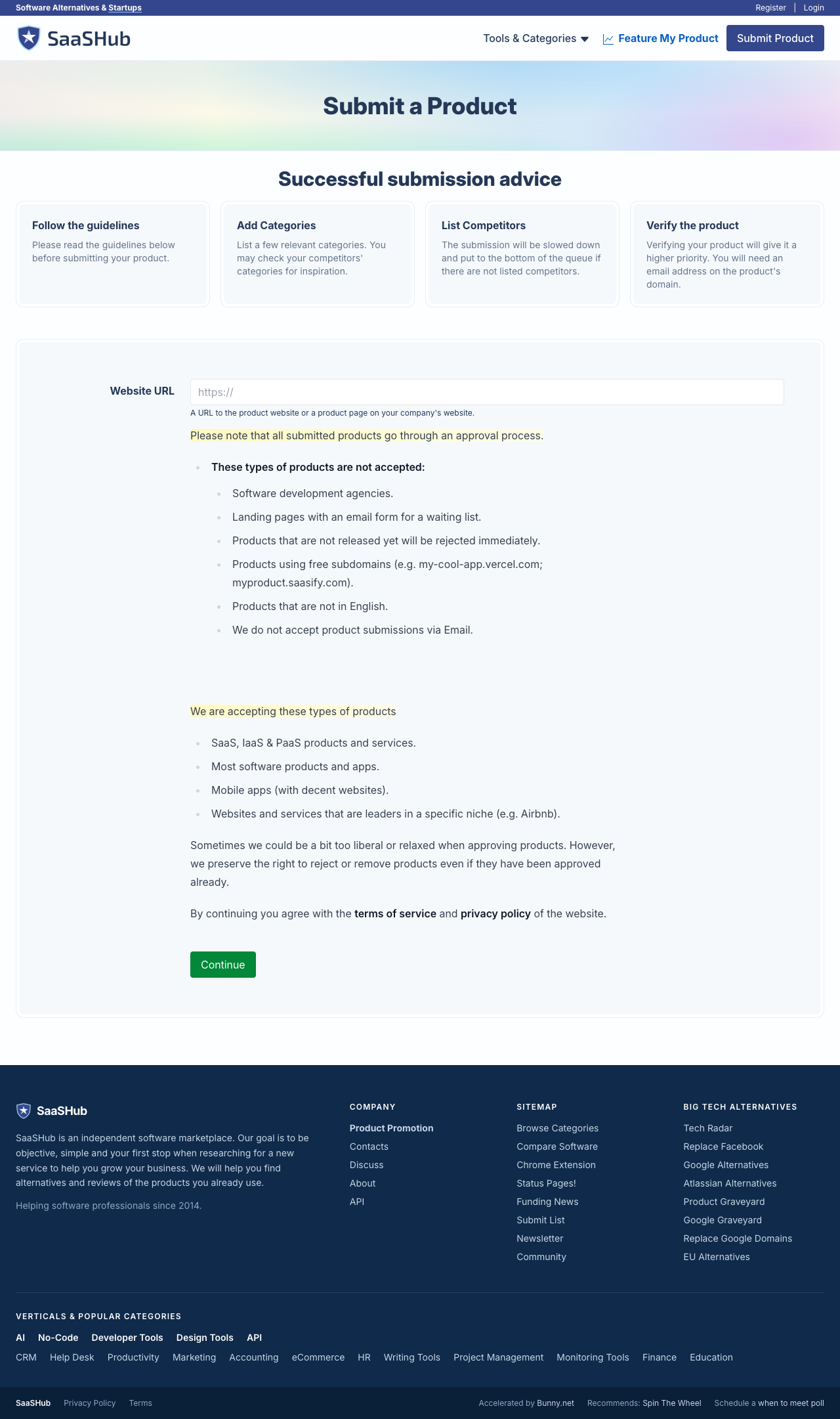
Original capture, 9 September 2026: the starting form before entering a website.
The starting page rejects unreleased products, waiting-list-only pages, software agencies, free-subdomain destinations and products not in English. It also says submissions go through approval. Check these restrictions before entering details; a software-related business is not automatically an eligible software product.
Use the direct product homepage. If you are listing a specific application within a larger company, choose the page that actually explains that application. Search SaaSHub first to avoid creating a duplicate; an existing listing may need an ownership or correction request instead.
Review the imported information
Entering our homepage opened a larger form and imported the name, description and some URLs. Imported text is a starting point, not a finished application. A site's SEO description can mix several offers, contain outdated wording or fail to explain the software's actual function.
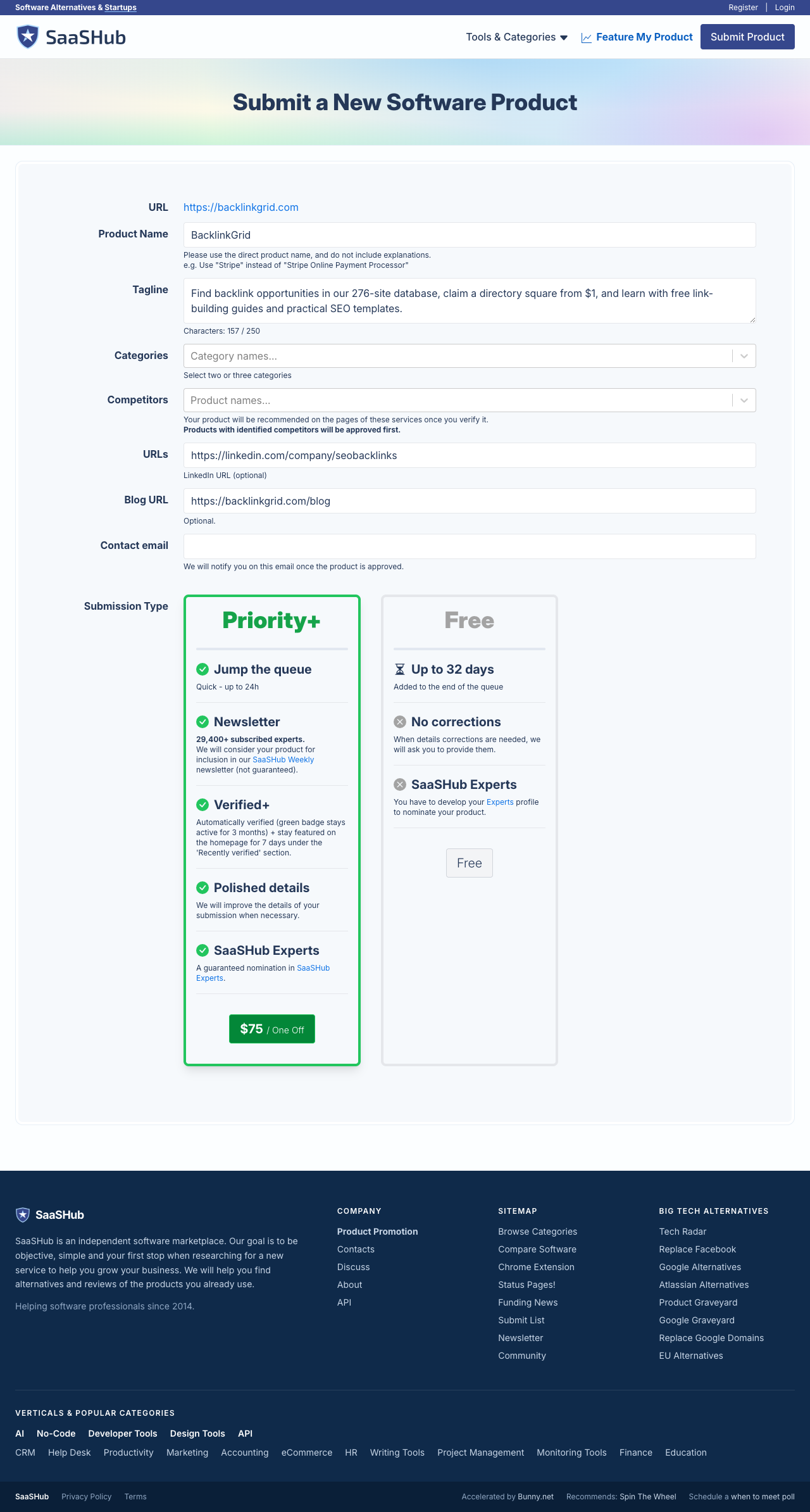
Original capture, 9 September 2026: imported details before our edits. No private account information is shown.
Check each field against the working product:
| Field we encountered | What to put there |
|---|---|
| Product name | The actual name, without a promotional sentence |
| Tagline | A concise description of the job the product does |
| Categories | The relevant software categories; the form asks for two or three |
| Competitors | Products solving a genuinely comparable job |
| Optional social and blog URLs | Only current, relevant destinations |
| Contact email | A monitored address you are authorised to use |
For example, we changed imported marketing text to: “Free SEO tools to find backlink opportunities and check links, with a paid prospecting CSV and directory placements.” This describes the mixed offering without claiming a complete backlink index or guaranteed ranking improvements. Your description should reflect your own product, not copy ours.
Choose the free route deliberately
The form displayed Free and $75 / One Off for Priority+. The free option showed a queue estimate of up to 32 days; the priority option showed up to 24 hours, plus additional features. These are the platform's displayed terms at the time of capture, not measured delivery times.
If you have a zero budget, use the explicit Free button and review the next screen. Do not select an upgrade just because it is more prominent. Read free versus paid submissions if you need to distinguish review, verification and featured exposure.
Our visit did not require an account to reach and send the free form. That does not mean every later management or verification step will be available without authentication or ownership evidence.
Do not choose misleading competitors
After the free form, we encountered a competitor selection screen and then a management page. The suggested products included large SEO suites. Being in the same broad category does not make a small tool a replacement for a full suite.
Select products only where the comparison is defensible. We proceeded without adding competitors rather than claiming BacklinkGrid replaces a complete commercial backlink index. A directory's discovery feature should help users make an accurate comparison.
Check the next state before claiming success
Save the next screen and any confirmation email privately. SaaSHub's FAQ distinguishes approval, verification and paid featuring. A management page is evidence that the flow advanced, not proof that a public backlink is available or that Google indexed it.
When a public listing exists, open it as a logged-out visitor and record its exact URL. Then inspect the destination and attributes with the live backlink checker. If the page is not publicly available, keep the status pending. Do not create a ranking case study out of a submission receipt.
Keep a reusable submission record
Use the prospect tracker template to save the requirements source, checked date, fee, status and published URL. This makes it easier to update a description later and prevents repeat applications by different team members.
For additional destinations, use where to submit a SaaS product or try the free opportunity finder. The Complete Backlink Database Bundle provides 276 opportunities with submission links and practical fields when you want a broader list to qualify.
What to read next
Read the Product Hunt preparation checklist, business directory eligibility guide, and backlink placement verification guide.